


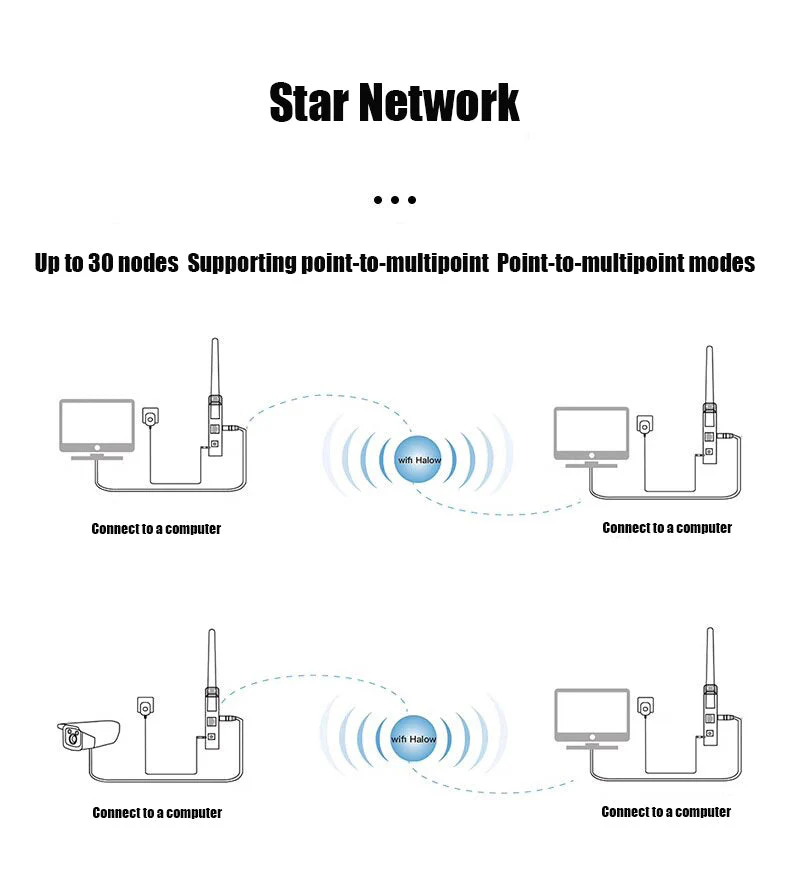
XiVision WiFi HaLow integrated data and image transmission module with long distance through wall transmission and robot body image transmission module has strong connectivity and low power consumption
XiVision WiFi HaLow integrated data and image transmission module with long distance through wall transmission and robot body image transmission module has strong connectivity and low power consumption
Regular price
$100.29 USD
Regular price
Sale price
$100.29 USD
Unit price
per
Shipping calculated at checkout.
Couldn't load pickup availability
WiFi HaLow (802.11ah) is a cutting-edge low-frequency module designed for long-range image transmission, making it ideal for drone applications.
The technology seamlessly integrates multiple high-resolution images, ensuring reliable and efficient data transmission over a wider range. With its strong connectivity and low power consumption, WiFi HaLow enhances drone performance, making it ideal for surveillance, mapping and remote monitoring missions.

Product Specifications and Parameters
• Utilizes IEEE 802.11ah (Halow) protocol.
• Provides 16 Mbps data throughput.
• Maintain a transmission distance of 1 km and a throughput of more than 1 Mbps.
• Compatible with multiple interfaces: SDIO, USB, serial port, network port
• Has excellent diffraction capabilities.
• Suitable for applications such as wireless suits, baby monitor video surveillance, drones, industrial robot control, Internet of Things (IoT) and smart wearable devices.
Operation Guide
1. Connect the Antenna: Connect one end of the IPEX to SMA cable to the IPEX connector on the module, making sure the connection is secure and secure. Then, connect the other end of the cable to the antenna, making sure it is properly tightened to maintain optimal signal strength and transmission quality.
2. Set Module Modes:Turn the mode switch of one module to the AP (receive) position and the mode switch of the other module to the STA (transmit) position.
3.After the module is powered on, all five working indicators flash. After the self-test is completed, the red power indicator light and the first indicator light on the left side of the module will light up in AP mode. In STA mode, only the red power LED remains on.
4.Press the pairing buttons simultaneously. The signal indicators on the AP and STA modules will flash, indicating successful pairing. Once the pairing button is released, the signal indicators on both modules will remain lit and the modules can be used normally.


Featured collection
-
XiVision 7/10 Inch Password phone Fingerprint Card Video Intercom Doorphone Touch Screen with Wired Doorbell 1080P 148° interfone
Regular price From $123.85 USDRegular priceUnit price per$123.85 USDSale price From $123.85 USD -
XiVision 1080P HD Video Doorbell System - Tuya 4 Wire WiFi Video Entry Doorphone Intercom Kits for Home, Villa & Apartment
Regular price From $113.98 USDRegular priceUnit price per$157.60 USDSale price From $113.98 USDSale -
XiVision 1080P Tuya Smart WiF Video Door phone Doorbell Camera with RFID Card unlcok Fingerprint and Passcode unlock for the Apartment Intercom System for Home Villa
Regular price From $137.18 USDRegular priceUnit price per$189.99 USDSale price From $137.18 USDSale -
XiVision 1080P 7/10 inch Wifi Video Doorbell Intercom Tuya Smart Home Wireless Doorphone RFID Access Control System for Villa Apartment
Regular price From $3.50 USDRegular priceUnit price per$12.00 USDSale price From $3.50 USDSale


Luna


Jorrine

George

Ashling